Computer Application Course: 7 Job Opportunities You Should Know Before Choosing Your Career
Discover 7 career opportunities after completing a Computer Application Course. Learn about the skills, course types, eligibility and job roles that can help you choose the right career path.
Introduction
Choosing the right career can be confusing, especially when you are a student, beginner or job seeker trying to understand which skills employers expect. Today, computer knowledge is useful in almost every industry. From preparing office documents to managing business records, many everyday tasks depend on computer applications.
A Computer Application Course can help you develop these practical digital skills and understand how different software tools are used in professional environments. Depending on the course level, you may learn computer fundamentals, MS Office, internet applications, databases and even basic programming.
But what exactly does this course teach? Who can enrol, and what career opportunities can it support? Before choosing a course, it is important to understand its syllabus, eligibility, learning outcomes and possible job roles. Let's explore everything step by step.
What Is a Computer Application Course?
A Computer Application Course teaches learners how to use computer software and digital tools to complete everyday academic and professional tasks.
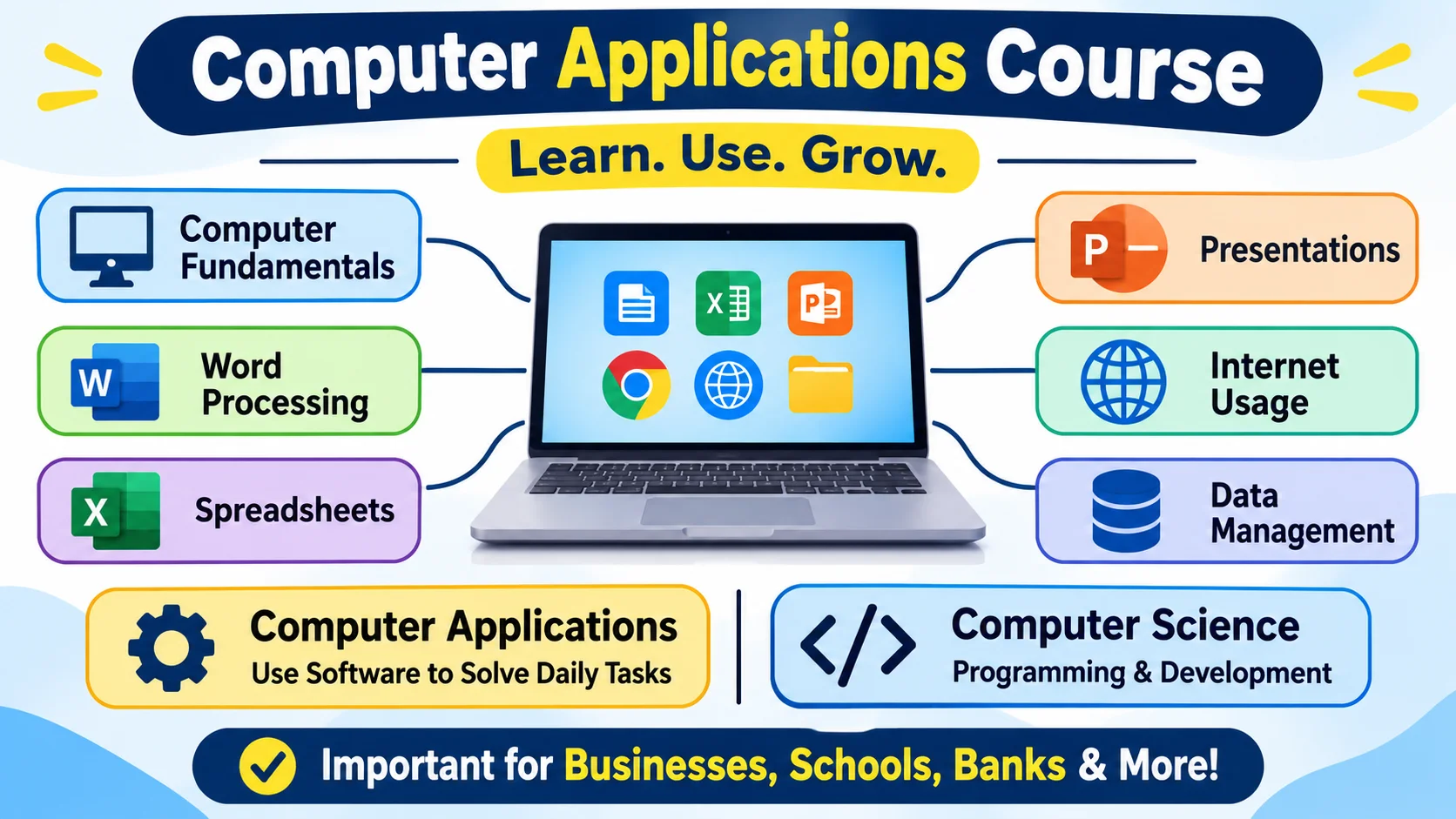
The course may cover computer fundamentals, operating systems, word processing, spreadsheets, presentations, internet usage, data management and other application-based subjects. Advanced programmes may also introduce programming,data base management and web development.
It is important to understand the difference between computer applications and computer science. Computer applications mainly focus on using software to perform tasks and solve practical problems. Computer science explores broader areas such as programming concepts, algorithms, computing systems and software development.
Computer applications are important because businesses, schools, banks, hospitals and other organisations use digital tools to manage information and daily operations.
What Are the Different Types of Computer Application Courses?
Students can choose from different course levels depending on their educational background and career goals.
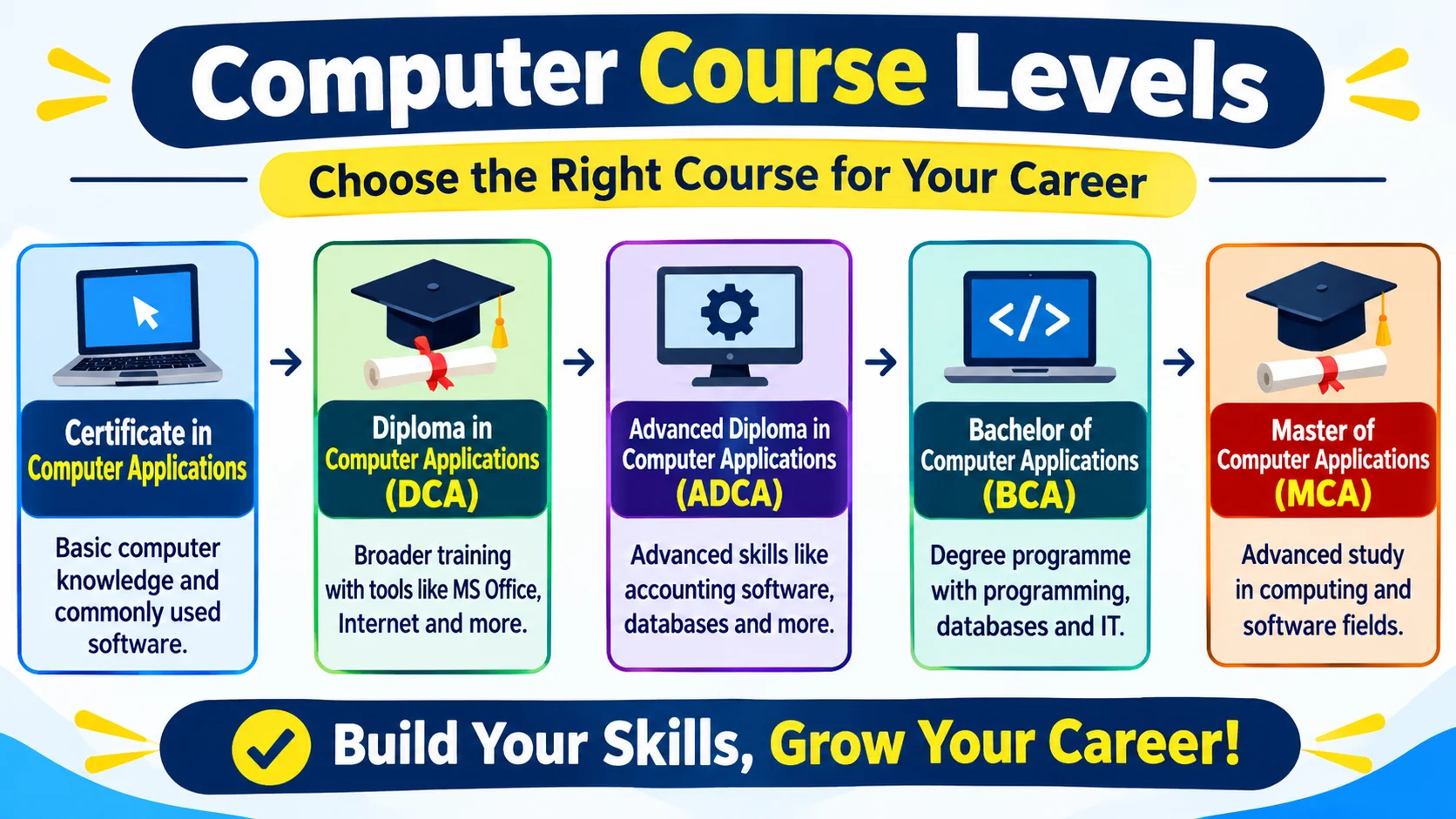
Certificate in Computer Applications
Certificate courses generally focus on basic computer knowledge and commonly used software. They can be suitable for beginners who want to develop essential digital skills.
Diploma in Computer Applications (DCA)
A Diploma in Computer Applications generally provides broader training than a basic certificate. Depending on the institute, subjects may include computer fundamentals, office applications, internet tools and other software-related topics.
Advanced Diploma in Computer Applications (ADCA)
ADCA programmes usually offer more extensive computer training. Their subjects may include advanced office applications, accounting software, databases and other application-based skills. The exact syllabus varies between institutes.
Bachelor of Computer Applications (BCA)
BCA is an undergraduate degree programme focused on computer applications and information technology. It generally includes programming, databases, software development and computer systems.
Master of Computer Applications (MCA)
MCA is a postgraduate programme for learners seeking more advanced knowledge in computing and software-related fields. Admission requirements depend on the university and its current rules.
Computer Application Course Eligibility: Who Can Apply?
Eligibility depends on the course and institution.
- After 10th: Some institutes offer beginner-level certificate or diploma programmes for students who have completed Class 10.
- After 12th: Students may explore certificate, diploma and undergraduate options, depending on the programme's admission requirements.
- For graduates: Graduates can choose additional computer training to improve their digital skills or prepare for roles that require software knowledge.
You do not always need previous computer experience to begin learning. Many basic courses are designed for beginners. Advanced programmes, however, may require specific educational qualifications or prior knowledge.
Also, learning basic computer applications does not necessarily require coding. Programming is included in some courses, but it is not essential for every computer-related job.
Computer Application Course Syllabus and Subjects
The syllabus depends on whether you choose a certificate, diploma or degree programme. Common subject areas include:
Computer Fundamentals and Operating Systems
Learn how computers work, understand hardware and software, manage files and folders, and use operating systems.
MS Word, Excel and PowerPoint
Develop skills in document preparation, spreadsheet management, calculations, data organisation and presentations. These applications are useful in many office environments.
Internet and Email Applications
Understand web browsing, online research, email communication, file sharing and safe internet practices.
Database Management
Learn how information is organised, stored, updated and retrieved using database concepts and software.
Programming and Web Development Basics
Some programmes introduce programming logic, HTML, CSS or other development concepts. These subjects are generally more relevant to learners interested in technical careers.
Hardware and Networking Fundamentals
Understand basic computer components, common hardware issues and how computers connect through networks.
Before enrolling, always check the institute's actual syllabus. A course title alone does not tell you exactly which subjects or software tools will be taught.
Computer Application Course Duration and Fees
There is no single duration or fee for every Computer Application Course. A short certificate, a diploma and a university degree have different academic requirements and learning structures.
Fees may depend on course level, duration, software coverage, practical facilities, trainer support and the institution.
Before paying admission fees, ask about the complete syllabus, class schedule, practical learning arrangements, assessment process, certificate issuer and any additional charges. Compare what each programme actually offers instead of selecting a course based only on its price.
What Skills Will You Learn in a Computer Application Course?
A well-planned Computer Application Course can help you develop skills such as:
- Computer operations: Using a computer, managing files and working with common software.
- Document preparation: Creating, editing and formatting professional documents.
- Spreadsheet management:Organising information, using formulas and preparing basic reports.
- Digital communication: Using email, internet tools and online platforms responsibly.
- Data handling: Entering, organising and maintaining digital records.
- Problem-solving: Understanding software tasks and finding suitable ways to complete them.
For better learning, practise these skills regularly. For instance, try preparing a formatted document, organising a spreadsheet and creating a presentation independently. Completing tasks yourself helps you understand software beyond simply remembering its features.
Career Opportunities After a Computer Application Course: 7 Jobs to Explore
A Computer Application Course can help learners build skills relevant to several entry-level roles. However, job eligibility depends on the employer, educational qualifications, practical ability and the specific requirements of the vacancy.
1. Computer Operator
Computer operators handle routine computer-based work, maintain digital records and use office software to complete assigned tasks. Basic computer knowledge, accuracy and file management skills are useful.
2. Data Entry Operator
Data entry operators enter, update and organise information in digital systems. Typing accuracy, attention to detail and spreadsheet knowledge are important for this role.
3. Office Assistant
Office assistants may prepare documents, organise records, manage emails and support daily administrative activities. Knowledge of word processing, spreadsheets and digital communication can be helpful.
4. Computer Support Assistant
Computer support assistants help users with basic software and computer-related problems. This role may require additional knowledge of operating systems, troubleshooting and hardware fundamentals.
5. Junior Web Designer
Junior web designers assist with creating and updating website layouts. Basic knowledge of HTML, CSS and design tools can be useful. Employers may also expect a portfolio or practical work, so a basic computer diploma alone may not be sufficient.
6. Accounts Assistant
Accounts assistants support financial record-keeping, invoice preparation and routine accounting tasks. Spreadsheet skills and accounting software knowledge can be valuable. Some employers may also require commerce or accounting knowledge.
7. MIS Assistant
MIS assistants help maintain information, prepare reports and organise data for business operations. Good spreadsheet skills, data accuracy and reporting knowledge are important. More advanced positions may require additional qualifications or experience.
These roles show how computer application skills can support different career paths. The right opportunity depends on your interests and the additional skills you develop.
How to Choose the Right Computer Application Course?
Before enrolling, consider these points:
1.Identify your goal: Decide whether you need basic computer knowledge, office skills or advanced technical training.
2.Compare course levels: Understand the difference between certificates, diplomas and degree programmes.
3.Check the syllabus: Confirm which subjects and software applications are included.
4.Ask about practical training: Find out whether learners get enough time to practise tasks independently.
5.Verify certification: Check who issues the certificate and what it represents.
6.Compare fees and facilities: Understand the total cost, duration, class schedule and available learning facilities.
7.Check learner support: Ask about trainer guidance, assessments and doubt-clearing arrangements.
A suitable course should match your current knowledge and future learning goals.
How Can EEPL Classroom Ranchi Help You?
If you are looking to improve your computer knowledge in Ranchi, EEPL Classroom is an institute you can explore for computer training options.
Before selecting a programme, discuss your educational background and career goals with the institute's team. Ask for the latest course details, syllabus, duration, fees and practical learning arrangements. This will help you understand whether the available training matches the skills you want to develop.
You can also ask which course is suitable for beginners and what learning support is available during training.
Take the next step: Contact EEPL Classroom to enquire about currently available computer courses and choose a learning path that suits your goals.
Conclusion
A Computer Application Course can be a useful starting point for students, beginners and job seekers who want to develop practical digital skills. From office applications and data management to basic programming, the subjects you learn can support different academic and professional activities.
However, choosing a course requires more than looking at its name or certificate. Compare the syllabus, practical training, eligibility, duration and learning outcomes before enrolling. Most importantly, practise regularly and continue developing skills that match your career interests.
The right learning decision can help you build a stronger foundation for your next academic or professional step.
FAQs
1. What is a Computer Application Course?
A Computer Application Course teaches learners to use computer software and digital tools for tasks such as document preparation, spreadsheet management, data handling and communication.
2. Can I do a Computer Application Course after 12th?
Yes. Students who have completed Class 12 can explore certificate, diploma and degree programmes, depending on the eligibility requirements of the institution.
3. What is the syllabus of a Computer Application Course?
The syllabus may include computer fundamentals, operating systems, MS Word, Excel, PowerPoint, internet applications, databases and basic programming. Subjects vary by course level and institution.
4. Which jobs can I apply for after a Computer Application Course?
Depending on your qualification and skills, you may explore roles such as computer operator, data entry operator, office assistant, computer support assistant, junior web designer, accounts assistant and MIS assistant.
5. Is a Computer Application Course useful for beginners?
Yes. Beginner-level courses can help learners develop basic computer knowledge and become more comfortable using common software and digital tools.
For More Information and Updates, Connect With Us
·Contact No: +91 9031685211
·Email ID:emancipationedutech@gmail.com
·Websites:https://eepl.me
·Instagram:https://www.instagram.com/eepl.classroom/?hl=en
·Facebook:https://www.facebook.com/eeplclassroom
·YouTube:www.youtube.com/@EEPLClassroom
·Live Location:https://share.google/V2XZnzegHrzmbbQJQ
·Blog:https://eepl.me/blog
·Address: 203, Hariom Tower, Circular Rd, Lalpur, Ranchi, Jharkhand 834001