Computer Course List: 15+ Best Courses After 10th, 12th & Graduation
Explore the best computer course list for students after 10th, 12th, and graduation. Discover popular computer courses, career opportunities, job-oriented skills, course duration, and fees to choose the right course for your future.
Introduction
Choosing the right computer course can be an important step towards building a successful career. Today, computer skills are useful in almost every industry, including education, banking, accounting, business, IT, and digital marketing. Whether you have completed your 10th, 12th, or graduation, learning computer skills can help you explore different career opportunities.
However, with so many courses available, students often get confused about which one to choose. Some courses focus on basic computer knowledge, while others teach advanced technical skills, programming, accounting, and data management.
In this guide, we will explore a complete Computer Course list covering popular options, career opportunities, course duration, fees, and the best choices for students at different educational levels.
What Are Computer Courses?
Computer courses are educational programmes designed to teach students how to use computers, software, digital tools, and technology effectively.
These courses can range from basic computer operations to advanced programming and software development. Some focus on practical office skills, while others prepare students for technical careers.
The main purpose of computer training is to develop skills that students can use in their education, professional life, and future careers.
Depending on your interests, you can choose a short-term certificate course, a diploma programme, or an advanced technical course.
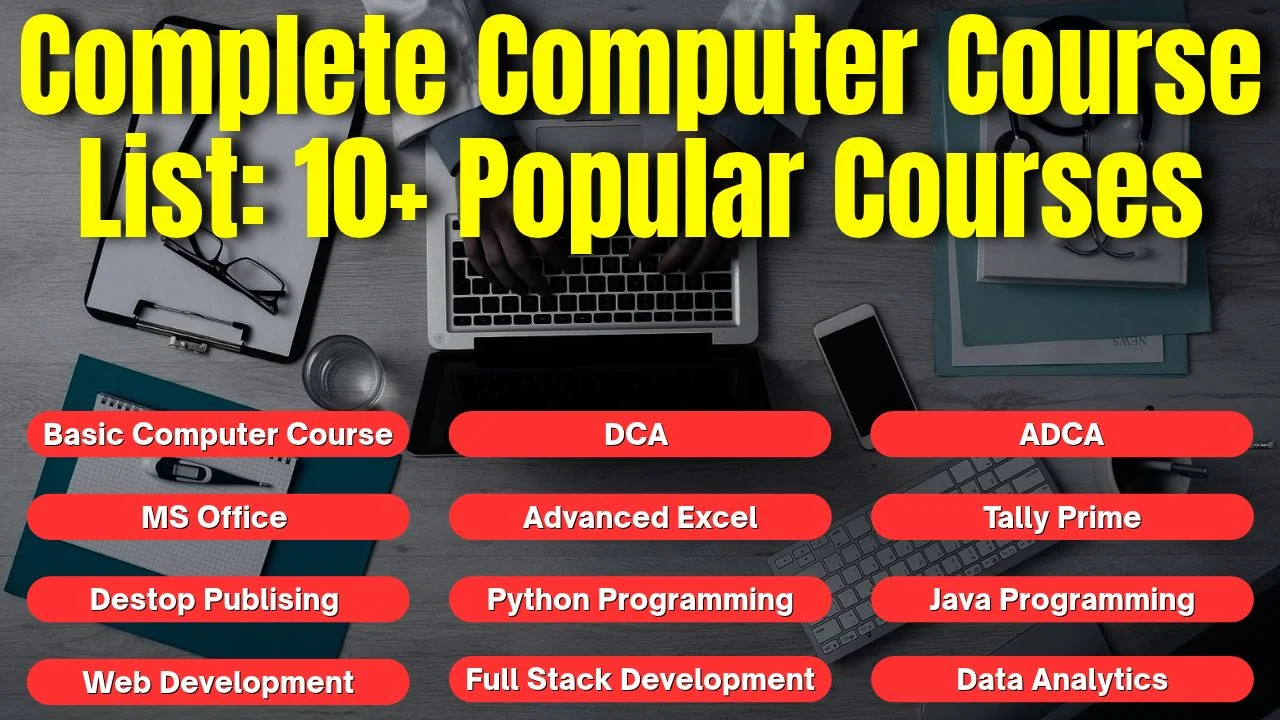
Complete Computer Course List: 10+ Popular Courses
If you are searching for a useful Computer Course list, the following table will help you understand some popular options and their learning areas.
|
Computer Course |
What You Will Learn |
Suitable Career Direction |
|---|---|---|
|
Basic Computer Course |
Computer fundamentals, Windows, typing, internet |
Computer Operator |
|
DCA |
Computer applications, MS Office, internet, basic software |
Office Assistant |
|
ADCA |
Advanced computer applications and office tools |
Computer Assistant |
|
MS Office |
Word, Excel, PowerPoint |
Office Executive |
|
Advanced Excel |
Formulas, functions, data management |
MIS Executive |
|
Tally Prime |
Accounting, GST concepts, financial records |
Accounts Assistant |
|
DTP |
Page design, CorelDRAW, Photoshop |
DTP Operator |
|
Python Programming |
Programming concepts and problem-solving |
Junior Python Developer |
|
Java Programming |
Object-oriented programming |
Junior Java Developer |
|
Web Development |
HTML, CSS, JavaScript and web technologies |
Web Developer |
|
Full Stack Development |
Frontend, backend and database development |
Full Stack Developer |
|
Data Analytics |
Data handling, analysis and visualisation |
Data Analyst |
Each course serves a different purpose. For example, students interested in office work can explore MS Office and Advanced Excel, while those interested in technology can consider Python, Java, or Web Development.
Before enrolling, check the actual syllabus and practical training included in the programme.
Best Computer Courses After 10th, 12th and Graduation
Your educational qualification and career goals play an important role in selecting a computer course.
After 10th
Students who have completed Class 10 can start developing basic computer skills. Beginner-friendly options include:
- Basic Computer Course
- DCA
- MS Office
- Computer Typing
- DTP
These courses help students understand computer operations, document preparation, spreadsheets, and other essential applications.
After 12th
After completing Class 12, students can explore both basic and advanced computer training.
Recommended options include:
- ADCA
- Tally Prime
- Advanced Excel
- Python Programming
- Web Development
- Graphic Design and DTP
Students can select a course according to their academic interests and future career plans.
After Graduation
Graduates can choose specialised courses to improve their professional skills and explore technical career opportunities.
Some suitable options include:
- Data Analytics
- Full Stack Development
- Python Programming
- Java Programming
- Advanced Excel
- Digital and Business Applications
Graduates should focus on developing practical skills that match the requirements of their preferred industry.
Best Computer Courses Without Coding
Not every student wants to become a programmer. The good news is that many useful computer courses do not require programming knowledge.
Here are some popular non-coding options:
1. MS Office: Learn document creation, spreadsheet management, and professional presentations.
2. Advanced Excel: Develop skills in formulas, data organisation, reporting, and spreadsheet analysis.
3. Tally Prime: Understand accounting entries, financial records, and basic GST-related concepts.
4. DTP: Learn page layout, document design, and graphic editing tools.
5. Basic Computer Course: Develop essential computer operating, typing, and internet skills.
These courses can be useful for students interested in office administration, accounting, documentation, and computer-based work.
Job-Oriented Computer Courses and Career Opportunities
Computer skills can support different career paths. However, job opportunities depend on your practical knowledge, educational qualification, experience, and employer requirements.
Here is a simple career comparison:
|
Course |
Possible Job Roles |
|---|---|
|
DCA / ADCA |
Computer Operator, Office Assistant |
|
Advanced Excel |
MIS Executive, Data Entry Executive |
|
Tally Prime |
Accounts Assistant, Billing Executive |
|
DTP |
DTP Operator, Design Assistant |
|
Python |
Junior Python Developer |
|
Java |
Junior Java Developer |
|
Web Development |
Web Developer |
|
Data Analytics |
Junior Data Analyst |
Students should remember that completing a course does not automatically guarantee employment.
To improve your chances, practise regularly, complete practical assignments, develop a portfolio where relevant, and prepare a professional resume.
Computer Course Duration and Fees
Computer course duration and fees depend on the institute, syllabus, learning level, software covered, and practical training facilities.
Short-term courses generally focus on specific skills, while diploma and advanced programmes cover broader topics.
The following table provides a general comparison of course types. These are indicative learning categories, not confirmed EEPL course durations or fees.
|
Course Type |
Duration Category |
Fee Information |
|---|---|---|
|
Basic Computer |
Short-term |
Depends on institute |
|
MS Office |
Short-term |
Depends on institute |
|
DCA |
Diploma programme |
Depends on syllabus |
|
ADCA |
Advanced diploma programme |
Depends on syllabus |
|
Tally Prime |
Specialised training |
Depends on modules |
|
Advanced Excel |
Skill-based training |
Depends on modules |
|
Python |
Programming training |
Depends on course level |
|
Web Development |
Technical training |
Depends on curriculum |
Before admission, ask the institute about the complete course fee, registration charges, study materials, practical sessions, certification, and payment options.
Comparing the actual syllabus and training quality is more useful than choosing a course only because it has a lower fee.
How to Choose the Right Computer Course
Selecting the right course becomes easier when you understand your interests and career goals.
Consider these important points before making your decision:
1. Understand Your Career Goal: Decide whether you are interested in office work, accounting, designing, programming, or data-related careers.
2. Check Your Current Knowledge: Beginners should start with foundational computer skills before moving towards advanced subjects.
3. Compare Course Syllabus: Check whether the course covers the topics and software you actually want to learn.
4. Focus on Practical Training: Choose a programme that provides sufficient opportunities to practise on computers.
5. Compare Fees and Duration: Understand the complete fee structure and learning schedule before enrolling.
6. Check the Institute: Consider the trainer support, classroom environment, practical facilities, and certificate details.
Remember, the best course is not necessarily the most advanced one. It is the course that matches your current skills and future plans.
How EEPL Classroom Helps You Learn Computer Skills in Ranchi
If you are looking for computer training in Ranchi, EEPL Classroom is an institute you can explore for developing your computer knowledge and professional skills.
Its existing course and blog information lists several learning options, including DCA, ADCA, Python, Data Science, Full Stack Development, Java, PHP, C/C++, AI/ML, Tally, Advanced Excel, and DTP.
These subjects cover different learning interests, from basic computer applications to specialised technical skills.
Students can explore the available programmes according to their educational background and career goals.
Before choosing a course at EEPL Classroom, you should discuss:
- The current course syllabus and learning modules.
- Course duration and complete fee structure.
- Practical training and software covered.
- Eligibility and admission requirements.
- Certificate details and available student support.
The institute's listed Ranchi locations include Tharpakhna and Lalpur. Students should confirm current branch details and course availability before visiting.
If you are unsure which course is suitable for you, contact EEPL Classroom and discuss your learning goals before making an admission decision.
Conclusion
Learning computer skills can help students prepare for a wide range of educational and professional opportunities. From basic computer knowledge and office applications to accounting, programming, and data analytics, there are several options available for different interests.
This Computer Course list can help you compare popular programmes and understand which learning path may suit your educational qualification.
Before enrolling, consider your career goals, practical learning requirements, course syllabus, duration, and fees. Focus on gaining real skills rather than simply collecting certificates.
Choose the right computer course, practise consistently, and take a confident step towards developing your future career.
FAQs
1. What Is the Right Computer Course for Someone Just Starting Out?
DCA, Basic Computer, and MS Office are useful starting options for beginners. The right choice depends on your learning goals and current computer knowledge.
2. Which Computer Course Should You Choose After Completing Class 12?
Students after Class 12 can explore ADCA, Advanced Excel, Tally Prime, Python, and Web Development according to their interests.
3. Can I learn computer courses without coding?
Yes. MS Office, Advanced Excel, Tally Prime, DTP, and Basic Computer courses are suitable options for students who do not want to learn programming.
4. Which computer course can help me get a job?
DCA, ADCA, Tally Prime, Advanced Excel, Web Development, and Data Analytics can help students develop skills relevant to different job roles. Employment depends on qualifications, practical knowledge, and employer requirements.
5. How do I choose the right computer course in Ranchi?
Compare the institute's syllabus, practical training, course fees, duration, eligibility, certificate details, and classroom facilities before taking admission.
For More Information and Updates, Connect With Us
- · Contact No: +91 9031685211
- · Email ID: emancipationedutech@gmail.com
- Websites: https://eepl.me
- · Instagram: https://www.instagram.com/eepl.classroom/?hl=en
- · Facebook: https://www.facebook.com/eeplclassroom
- · YouTube: www.youtube.com/@EEPLClassroom
- · Live Location: https://share.google/V2XZnzegHrzmbbQJQ
- · Blog: https://eepl.me/blog
- · Address: 203, Hariom Tower, Circular Rd, Lalpur, Ranchi, Jharkhand 834001